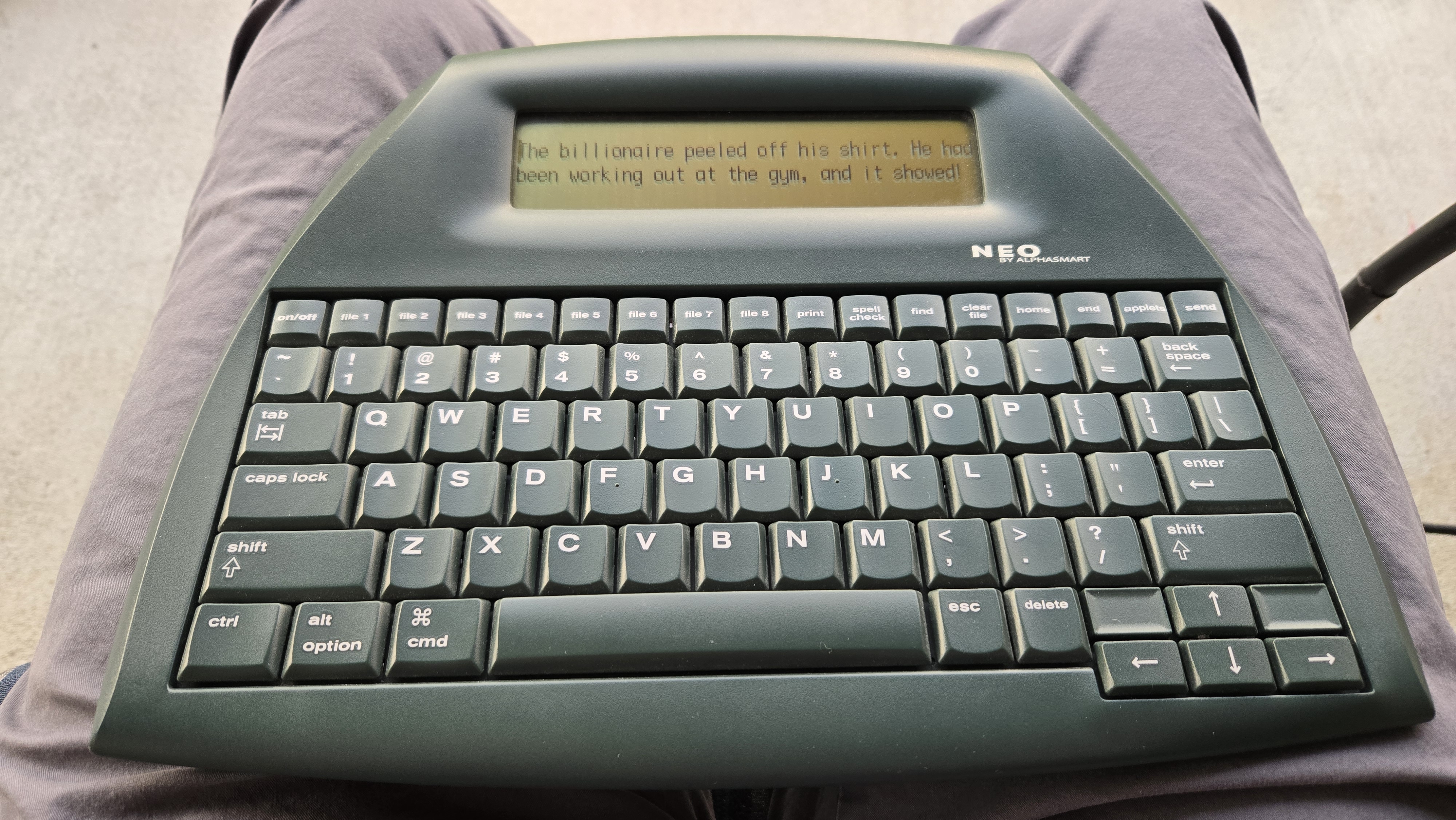
The AlphaSmart Neo keyboard is a stable typing platform
ElmerPad draws a lot of influence from the AlphaSmart Neo, a superb writing tool with a devoted following. Unfortunately it is no longer in production.
I am a longtime fan of the Neo, a keyboard and sunlight-readable LCD display designed to teach kids typing skills. The Neo is an ergonomic keyboard with 6-line display and 8 memory buffers. It will run 700 hours on 3 AA batteries. That is nearly a year of continual operation. It is rugged, lightweight, and portable. If you are a travel writer the only thing better would be a notepad and pen, but then you will have to transcribe your scribbling to a computer at some point.
The Neo is comfortable to use away from the computer and rests on the lap securely. There is no operating system or internet to ruin your focus. You can write volumes without that clutter to distract you. Then just upload your work to your laptop through a USB cable. Just open any app and press the “Send” key to feed your text into the machine.
Another nice thing about the Neo is you can just press the power key and it shuts off instantly. Press it again and you are back in your document in less than 3 seconds. This makes you incredibly productive because you are not slowed down by the walls of distraction the computer throws at you.
The Neo was designed before the rise of cell phones so has no Bluetooth or wifi connectivity. A printer cable is required to upload your writing to a device or PC, which is a minor inconvenience. It will connect to your phone or tablet as a keyboard via a USB cable. I have used it on travel as a remote laptop keyboard. There are a number of reddit forums focused on minimalist writing tools and DIY digital typewriters that draw inspiration from the Alphasmart legacy.
I am likely to travel overseas again so have to consider what I would drag along with me. If one were truly going primitive to stimulate writing output, the Neo would be an excellent choice. I still might do it and act out my expat novelist fantasies.
It’s a certainty I will bring a phone and probably a tablet. I have found an 8 inch tablet about ideal for reading and general web use. I also have a Kobo Clara B&W e-ink reader which is a pleasure to use. Thus my travel burden is phone, tablet, e-reader. I could throw a Neo on top of that pile, and possibly a camera as well. Most of it would fit in a hotel safe, but I would hate to lose my Neo.
So I am considering bringing just the Android phone and 8” tablet. Were I to get a hankering to write something profound it would be great to have some kind of writing app for those devices that could simulate the Neo experience.
The leads to the primary ElmerPad use case : a quick and easy Android note taking and writing app for traveling. I can use better tools than Android at home but on the road prefer to drag along as little technology as possible. Less personal clutter while traveling means more freedom of movement and time to enjoy the destination. A phone and 8 inch tablet are about all you would need on a trip. With a Bluetooth keyboard the tablet is nearly as powerful as a laptop and good enough for handling online tasks such as banking and flight reservations. So why not put a Neo emulator on a phone or tablet?
My free minimalist Android writing app and a Bluetooth keyboard can help you actualize this dream. The primary use case is for the expat novelist/nomadic influencer persona (through its innovative scratchpad Social Media Buffer) but you can leverage it to satisfy your needs.
There are a lot of good, cheap Bluetooth keyboards now that have potential for putting together a nomadic writing getup. I bought a Keychron BT keyboard for $30 and played around with some configurations. With a trackball mouse it’s workable and ergonomic for general computing tasks without the laptop drawbacks.
The Neo fits comfortably on your lap. It’s just wide enough not to drop between your legs but small enough to put in a backpack. The BT keyboard is too small for that so I looked for platforms that could hold it. There are also folding Bluetooth keyboards that might rest on the lap comfortably, but a device holder is still required.
The AlphaSmart Neo keyboard is a stable typing platform
The keyboard and device stand needs about 15x9 inches to work as a lap shelf. I used a piece of cardboard and that worked out but was a little crude. A cheap long clipboard could work. A thin cutting board looked just the right size so I tried it out. It was too heavy for extended use.
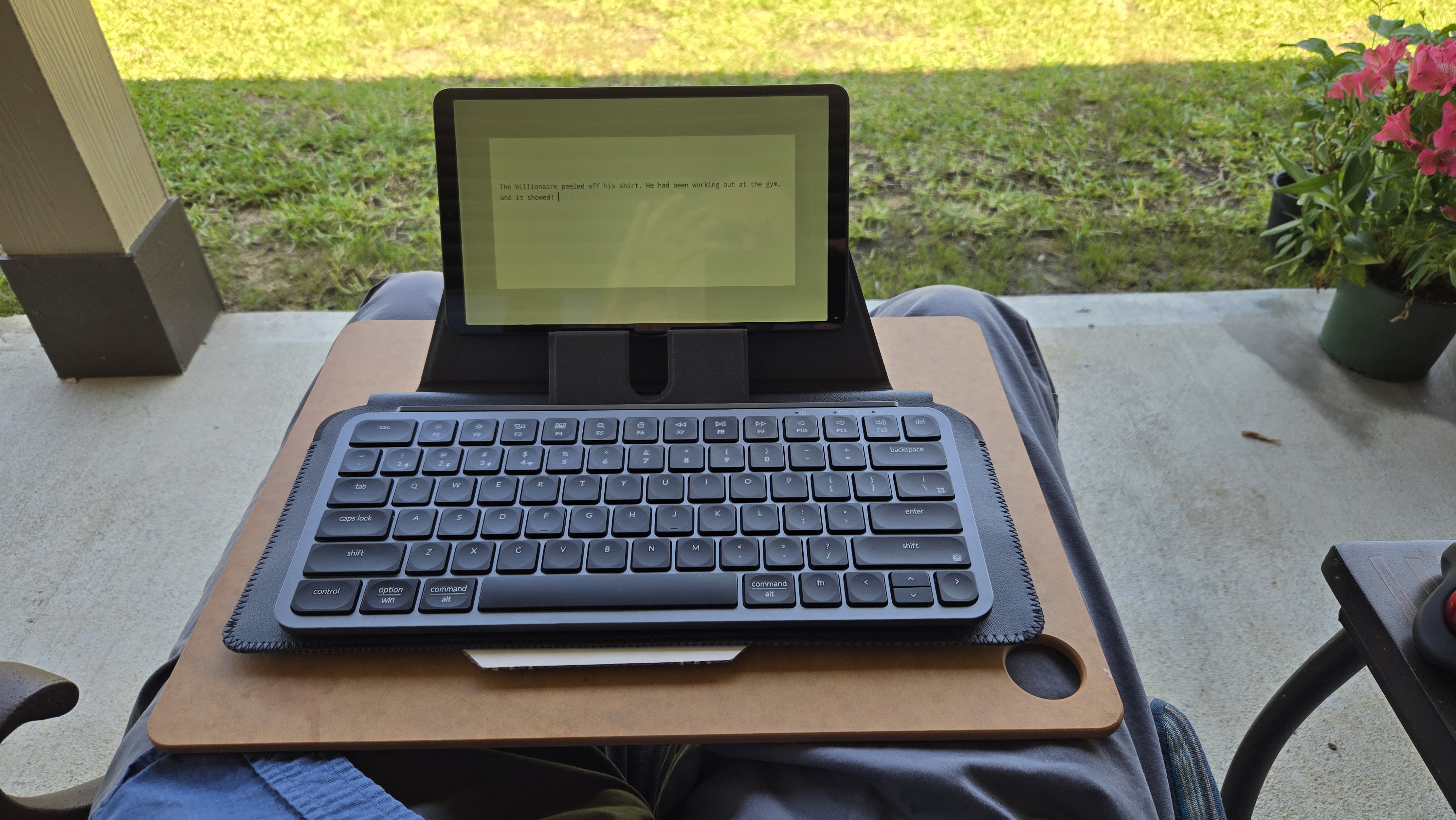
A thin cutting board works but is too heavy
Then I tried a foam kneepad, which works pretty well and is very light. It could double as a buttpad on a trip. Definitely I pack an inflatable buttpad anyway.
I used that with a BT keyboard and device mount and it works pretty well.
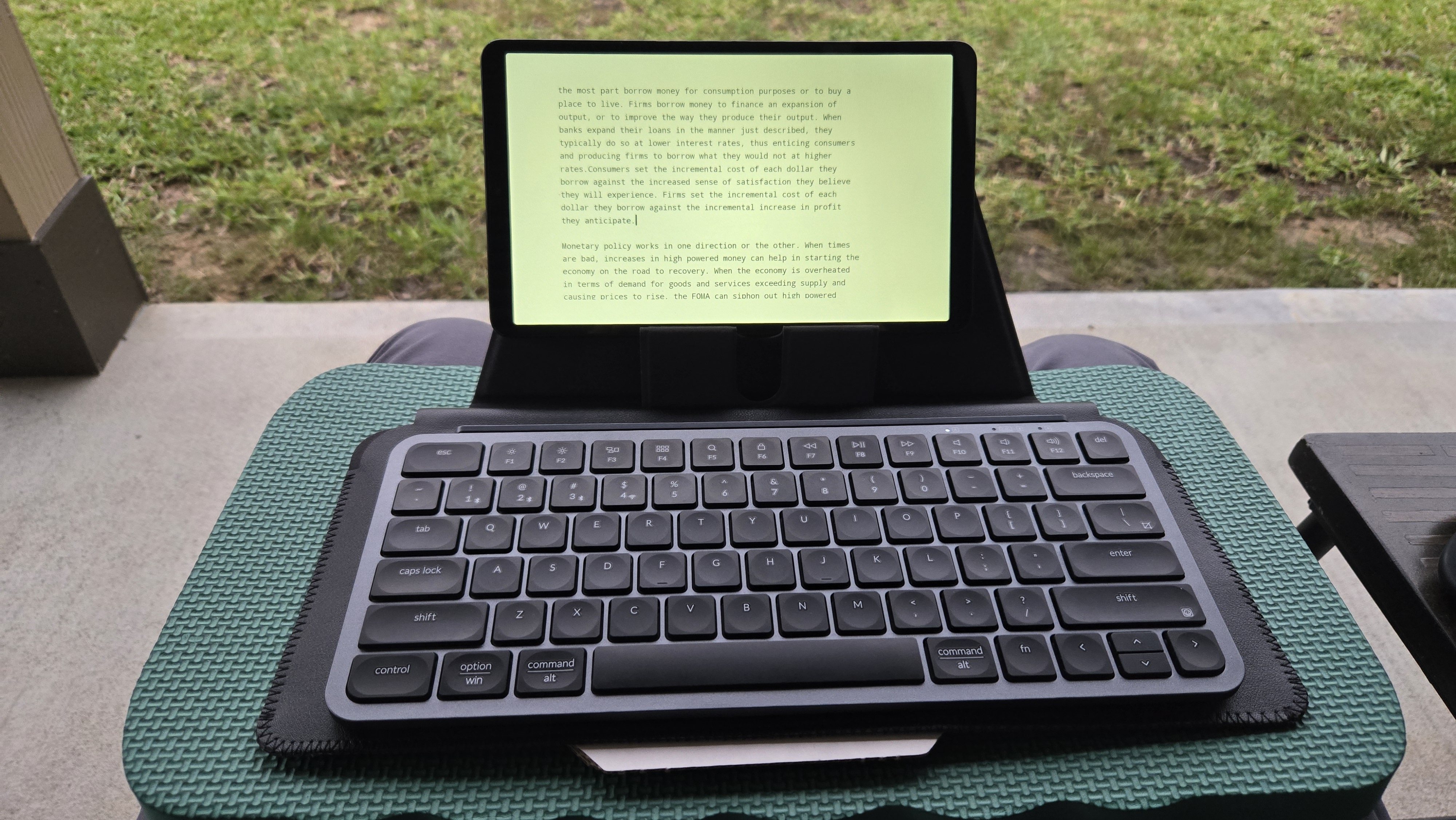
Lenovo Tab One with device stand on foam kneepad
But phones and tablets reek aesthetically compared to the Neo. Even as I type this on a Neo I am struck by its visual appeal. It also lacks excessive electronics. You just press on/off button and it shuts off. To start writing again you press on/off and you are back in your text, no operating system.
The downside of the Neo is that text formatting and file navigation are clumsy due to the 6-line display. It's great for capturing your thought stream though but you will have to reformat your text later.
My Android writing app and lap combo is great for writing on your patio. Look at your own writing setup and consider how it could be improved so you can focus on productive work while being physically comfortable. Many of you have probably landed with a laptop or desktop PC and have not done much to improve the ergonomics. It would help you a lot to get away from the computer and be able to move around while still having good input devices.
Let’s face it. We call ourselves writers but we are not writers we are typists. Data-entry robots. Modern compute appliances are highly efficient for capturing and storing our input stream so hand writing is not practical. But we can make the act of typing occur more in the real world instead of the cold-blue glow of the goon cave. It might also help your posture.
I had to come up with a name after the first working code draft was ready to share online. All the obvious minimalist editor names had already been trademarked. My online persona is "Elmer", which is my middle name. So I stuck with what I know and called it ElmerPad.
There are plenty of great tools available for my windows PC and Linux laptop . I use Scrivener a lot for project organization, and various code editors like VS Code or NotePad++. Android devices are cheap and good for reading PDFs and ebooks. The 8 inch Lenovo tablet is good enough for that. But available Android minimalist editors just didn't work for me. I wanted fast app launch end editing, with keyboard control fo all functions. Similar to desktop editors. The Android user interface seems a little clunky coming from Windows and Linux. Too much screen space is taken up by useless icons. The file manager for example is awkward from a keyboard editing perspective. These devices are meant for finger-gesture control.
Other writing apps could probably work if I gave them a chance. But they also seemed to demand my email or lock features for their "pro" versions. I couldn't seem to easily install one and just start writing. The Android Notes app is too simplistic. What I wanted was multiple, persistent file buffers and instant app launch into writing, like the venerable Neo.
After decades of computer employment I really don't feel like spending my retirement sitting at a computer. No matter how you try to improve it, sitting for long periods is hard on the health. If you want to write it's atrocious compared to a good ergonomic chair that supports healthy posture. Yet I had to sit at my PC to get the writing app I wanted. But it was only a month of my time and kinda fun doing it. As a side note I formerly was a software engineer but got pretty fed up with the downsides of that industry and switched to mechanical engineering late in my career. That still meant a lot of time using CAD and other computer tools in addition to editors for proposal writing (which supported the mechnical work). Writing code can be an enjoyable intellectual pursuit but doing it for other people is the pits. And don't get me started on co-workers.
When I added the virtual keyboard it turned out to have nice visual appeal with my retro terminal colors and fonts. I looked for vintage photos of Wyse and Televideo terminals I used back in the day but there really isn't much on the web. Hard to convey to newer generations how ergonomic they actually were.
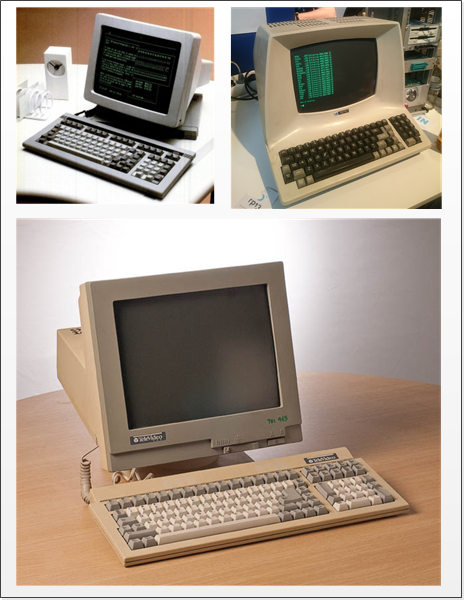
Retro Terminals Circa 1980-1990
Designing the virtual keyboard reminded me of avionic displays I worked on during the 1980s-90s. Again, nice visual appeal and ergonomic function.
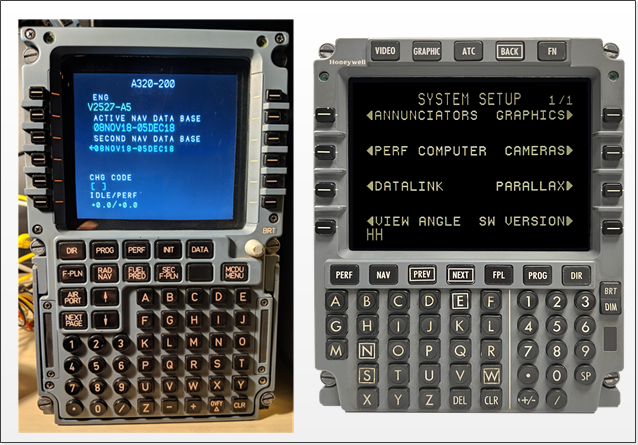
Aircraft Flight Displays
Given my background I would not have attempted this if auto-coding tools were not freely available. I used Android Studio and its integrated AI coding interface to write ElmerPad. With this tool I was able to express my app requirements and it would write the code. The work was in testing it on my Andoid devices and iterating the feature development. That is where my background helped the process.
ElmerPad features evolved from my mental model of text editing. I did not look at any of the code Android Studio produced. The only code I wrote was developing this website in HTML.
A useful feature the Neo lacks is file sync with remote host computers. You have to connect a cable to upload your text to a PC. So I developed a simple file sync tool using Visual Studio Code that enables file linking on a PC or laptop on the same WiFi as ElmerPad (not over the internet which would require a dedicated server). It's just for using ElmerPad at home without needing to transfer files through some other app like Dropbox or SyncThing. You can edit a file on ElmerPad, then open the same file on your PC and continue editing. The sync tool (affectionately name elmer-syncd) handles file locking to prevent accidental overwrites.
I also added a Share function via a key on the numeric virtual keyboard and via Ctrl-Alt-S. This will copy the buffer to the Android system buffer and open a pick list of apps to share it with. You can share it to Dropbox and it will create a file of the buffer contents in your Dropbox folder. You can also paste it to other apps like Telegram or Substack.